Windows Settings UI Design for Enhanced User Understanding
A recent user report highlights the need for improved Windows settings interface design to better inform users about the status of system tweaks and their applicability to their hardware.

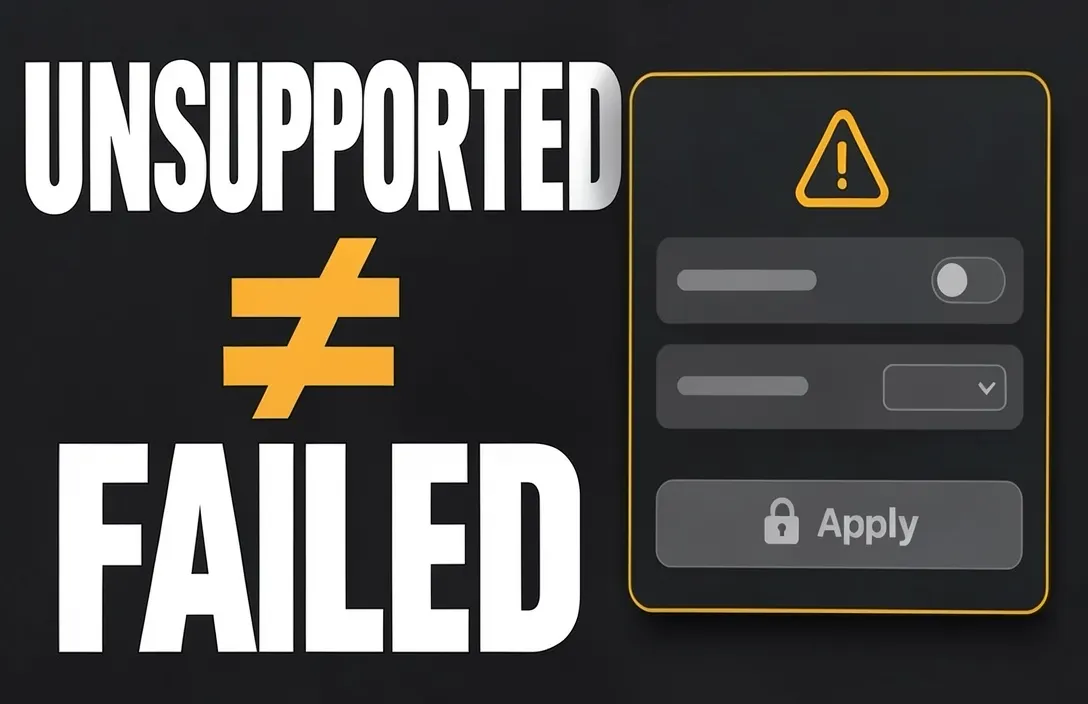

A user reported that a specific Windows setting did not support their laptop, prompting a reevaluation of how settings interfaces should communicate system compatibility (Dev.to, 2023). This feedback suggests that the UI should first determine whether a setting is applicable to the user's machine before allowing any changes. The current toggle-based approach, which only offers two states—on or off—fails to account for the complexity of applying system settings, which can result in multiple outcomes such as 'unsupported' or 'failed'. [1]
The distinction between 'unsupported' and 'failed' is crucial for user guidance. 'Unsupported' indicates that the system lacks the necessary capability to apply the setting, while 'failed' implies that the operation was attempted but did not complete successfully (Dev.to, 2023). Blurring these states into a single error message, such as 'Something went wrong', leaves users without actionable information. An 'unsupported' state should prevent the user from attempting the operation, whereas a 'failed' state should provide clear recovery steps. [1]
Additionally, the UI should handle an 'unknown' state, where the system is unable to determine support status. This state should not be confused with 'unsupported', as it merely indicates that the system could not check for support (Dev.to, 2023). Clear communication of these states ensures that users are not misled into thinking their hardware is incompatible when the system simply lacks the means to verify compatibility. This approach improves transparency and user understanding of system limitations. [1]
A user reported that a specific Windows setting did not support their laptop, prompting a reevaluation of how settings interfaces should communicate system compatibility (Dev.to, 2023). The distinction between 'unsupported' and 'failed' is crucial for user guidance. Unsupported indicates the system has enough information to know the operation should not be attempted, while failed means the operation was eligible but did not complete as intended. [1]
Advertisement
The UI should also handle an 'unknown' state, where the system is unable to determine support status. This is different from 'unsupported' because an unknown state does not provide enough information to know whether the hardware lacks the feature. This distinction allows the UI to provide more accurate feedback to users and developers alike. [1]
There is also a need for the UI to describe what has been confirmed. Each state should have a specific meaning, including 'checking support', 'unsupported', 'ready', 'applying', 'verifying', 'pending restart', 'applied', and 'failed'. Each state should provide the user with clear and actionable information based on the outcome of the system check. [1]
The UI should also keep capability separate from preference. The user's desired value should be stored separately from the observed value and the support result. This ensures that a checked box does not stand for multiple meanings, which can confuse users. The UI should explain the specific requirement that was checked, rather than using a broad term like 'laptop' as a universal rejection rule. [1]
A user reported that a specific Windows setting did not support their laptop, prompting a reevaluation of how settings interfaces should communicate system compatibility (Dev.to, 2023). The distinction between 'unsupported' and 'failed' is crucial for user guidance. If both become a red 'Something went wrong', the user has no useful choice. Retrying an unsupported operation will not create the missing capability. Hiding a genuine failure behind 'not available' loses information the developer needs. [1]
Advertisement
There is also a need for the UI to describe what has been confirmed. I would give each state a specific meaning: 'Checking support...', 'Couldn't check support. Try again.', 'The missing requirement and a disabled Apply button', 'Current value and the proposed change', 'Checking the saved value...', 'The value that was confirmed', 'The failed step and a useful recovery action'. Each state provides clarity for the user and the developer. [1]
The UI should keep capability separate from preference. I would store the user's desired value separately from the observed value and the support result. Otherwise, a checked box can quietly stand for three different things: 'the user asked for this', 'we wrote it', and 'we confirmed it'. For a settings tool, those distinctions matter more than a satisfying green animation. [1]
A user reported that a specific Windows setting did not support their laptop, prompting a reevaluation of how settings interfaces should communicate system compatibility (Dev.to, 2023). The distinction between 'unsupported' and 'failed' is crucial for user guidance. Unsupported means the app has enough information to know it should not attempt this operation on the current system, while failed indicates an eligible operation did not complete as intended. These states require different next steps for users. [1]
The UI should also handle an 'unknown' state, where the system is unable to determine support status. A capability check that could not run is not evidence that the hardware lacks the feature. This unknown state should be clearly communicated to users as 'Couldn’t check support. Try again.' to ensure they understand the limitations of the current system check. [1]
Advertisement
Additionally, the UI should describe what has been confirmed, providing specific meanings for each state. For example, when a capability query is running, the user should see 'Checking support…' and when the write operation is in progress, the UI should indicate a busy state that prevents duplicate requests. Keeping capability separate from preference ensures the user's desired value is stored separately from the observed value and the support result. [1]
Sources
Prepared with AI assistance from the cited sources.
The Cali Reporter newsletter
The stories worth your time.
California, the country, and what comes next. Join our free newsletter for reporting that keeps you informed.
More in Technology
- Modern Web Guidance 1.0 and Browser Compatibility
Modern Web Guidance 1.0, announced by Chrome for Developers on November 10, introduces browser compatibility data to assist coding agents in building web features. The initiative emphasizes the importance of fallback…
- Apache mod_http2 Vulnerability Detection with Nmap
A new Nmap scripting module has been developed to detect the Apache mod_http2 vulnerability (CVE-2026-119618), addressing the challenges of identifying affected systems accurately.
- Securing Remote Vendor Access in Industrial Networks
Best practices for managing remote vendor access in operational technology (OT) networks emphasize controlled access points, multifactor authentication, and time-bound sessions to reduce cybersecurity risks.