Replicating Postgres to ClickHouse Using OLake Go and Polaris
This article explores a method to replicate data from Postgres to ClickHouse using OLake Go and Polaris, offering an open source alternative to traditional CDC and ELT tools.

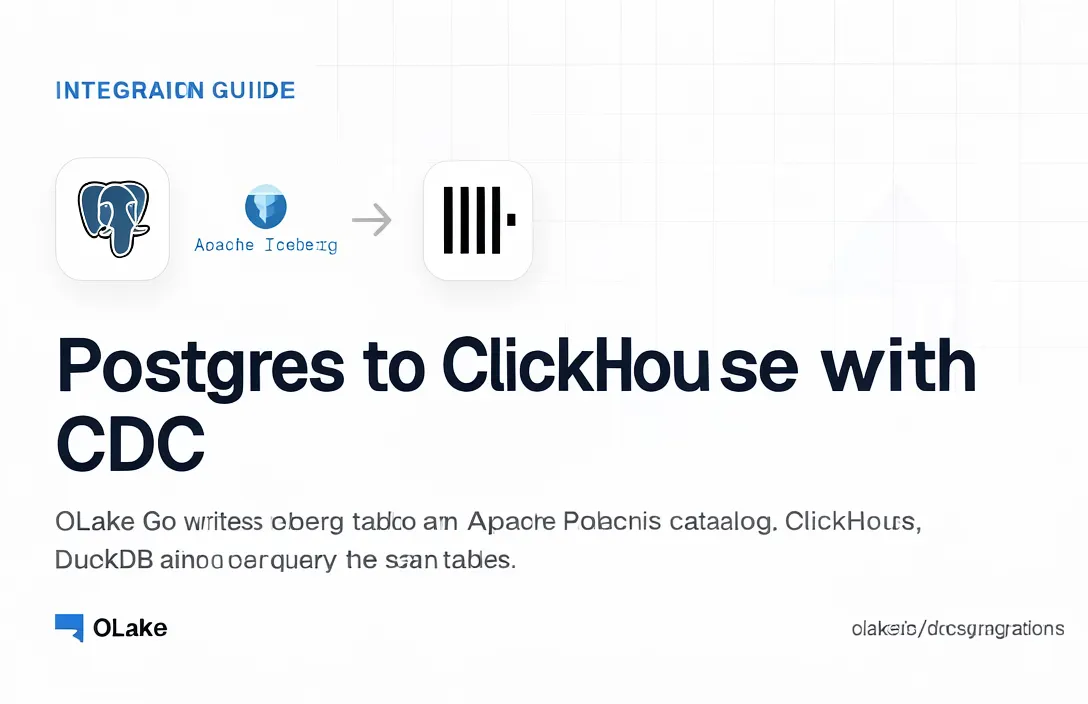

A new approach to replicating data from Postgres to ClickHouse has been developed using OLake Go and Polaris, an open source replication tool that reads the Postgres write-ahead log (WAL) and commits changes as Apache Iceberg tables into Apache Polaris (source ID: 1). This setup allows for the creation of a REST catalog that ClickHouse can attach to using its DataLakeCatalog engine. The process involves running OLake Go, which reads changes from Postgres, and writing them into Iceberg tables within Polaris, which acts as a catalog for the files. This method was tested on a single laptop with Docker, using Postgres 16, Polaris 1.8.0 on MinIO, OLake Go v1.1.0, and ClickHouse 26.8. [1]
The replication process begins by configuring Postgres to allow logical replication. This involves setting wal_level to logical, enabling replication slots and publications. A role with replication privileges is created, and a publication is set up for the tables. OLake Go then reads changes from the WAL using the pgoutput plugin and writes them into Iceberg tables in Polaris. Polaris is configured with a catalog that points to an S3 bucket, and a principal is created with the necessary permissions to manage the catalog (source ID: 1). This setup ensures that changes are captured and written into Iceberg tables, which can then be accessed by ClickHouse through the DataLakeCatalog engine. [1]
Once the data is written into Iceberg tables in Polaris, ClickHouse can attach the catalog as a database using the DataLakeCatalog engine. This allows ClickHouse to query the tables directly without the need for additional processing or transformation. The setup was tested with a sample dataset containing 8 customers and 40 orders, and the initial sync copied 48 records in 14 seconds, while a subsequent sync of 12 changes took 11 seconds. The process also includes steps to configure DuckDB and Trino to read the same tables through the same endpoint, demonstrating the versatility of the Iceberg format and the Polaris catalog (source ID: 1). [1]
The replication process begins by configuring Postgres to allow logical replication. This involves setting parameters such as wal_level to 'logical', max_replication_slots, and max_wal_senders. Once these settings are in place, a replication slot is created along with a publication for the tables that need to be replicated. OLake Go uses the built-in pgoutput plugin to read changes from the WAL, ensuring that all inserts, updates, and deletes are captured accurately (source ID: 1). [1]
Advertisement
After setting up Postgres, the next step is to run Polaris and MinIO, which serve as the data lake and catalog system. The Polaris server is configured with a catalog that points to a bucket in MinIO. This involves creating a bucket, a principal with the appropriate permissions, and defining the storage configuration for the catalog. The principal is used by OLake Go to authenticate and manage the catalog within Polaris (source ID: 1). [1]
Once Polaris is set up, OLake Go is configured to connect to both Postgres and Polaris. This involves specifying the REST catalog URI, the Polaris catalog name, and the authentication credentials. OLake Go then reads changes from the Postgres WAL and writes them as Iceberg tables into Polaris. These tables can be accessed by ClickHouse through the DataLakeCatalog engine, which attaches the entire Polaris catalog as a database (source ID: 1). [1]
Finally, ClickHouse is configured to connect to the Polaris catalog using the DataLakeCatalog engine. This involves setting the REST catalog URI, the catalog name, and the authentication credentials. Once connected, ClickHouse can query the Iceberg tables created by OLake Go. This setup allows for real-time data synchronization between Postgres and ClickHouse without the need for intermediate systems such as Kafka or additional databases (source ID: 1). [1]
The replication process begins by configuring Postgres to allow logical replication. This involves setting parameters such as wal_level, max_replication_slots, max_wal_senders, and wal_sender_timeout, which are essential for enabling logical replication in Postgres (source ID: 1). Once Postgres is configured, a role with replication privileges is created, along with a publication for the tables and a replication slot. These steps ensure that OLake Go can read the changes from the Postgres write-ahead log (WAL) and process them effectively (source ID: 1). [1]
Advertisement
After setting up Postgres, the next step is to run Polaris and MinIO, which serve as the data lake and catalog system. Polaris is an open source Iceberg REST catalog that must be run separately, and MinIO is used to store the data. The setup involves creating a bucket in MinIO, configuring the Polaris server to point to the bucket, and creating a principal with the necessary permissions to manage the catalog (source ID: 1). This configuration allows OLake Go to write changes from Postgres into Iceberg tables stored in the MinIO bucket through Polaris (source ID: 1). [1]
Once Polaris is set up, OLake Go is configured to connect to both Postgres and Polaris. OLake Go reads changes from the Postgres WAL and writes them as Iceberg tables into Polaris. Finally, ClickHouse is configured to connect to the Polaris catalog using the DataLakeCatalog engine, which allows ClickHouse to access the Iceberg tables as if they were a native database (source ID: 1). This setup enables real-time data synchronization between Postgres and ClickHouse without the need for additional infrastructure such as Kafka or message queues (source ID: 1). [1]
An alternative method for replicating data from Postgres to ClickHouse involves using OLake Go, an open source replication tool that reads the Postgres write-ahead log (WAL) and commits changes as Apache Iceberg tables into Apache Polaris (source ID: 1). This method differs from common approaches such as ClickPipes and Debezium, which typically require additional infrastructure like Kafka or managed ELT tools. OLake Go reads changes directly from the WAL, eliminating the need for external message brokers or complex configuration. [1]
The replication process begins by configuring Postgres to allow logical replication. This involves setting parameters such as wal_level, max_replication_slots, and max_wal_senders. Once these parameters are set, a replication slot and publication must be created to enable OLake Go to read changes from the WAL (source ID: 1). This setup ensures that OLake Go can capture all inserts, updates, and deletes from Postgres and forward them to Polaris for storage as Iceberg tables. [1]
Advertisement
After Postgres is configured, Polaris and MinIO must be set up to serve as the data lake and catalog system. Polaris is an open source Iceberg REST catalog that must be run locally, and MinIO is used to store the data files. A catalog must be created within Polaris that points to the MinIO bucket, and a principal with the necessary permissions must be created to allow OLake Go to write to the catalog (source ID: 1). This step is crucial for ensuring that OLake Go can write data to the correct location in the data lake. [1]
Once Polaris and MinIO are set up, OLake Go is configured to connect to both Postgres and Polaris. This configuration involves specifying the REST catalog URI, the Polaris catalog name, the authentication credentials, and the S3 endpoint. Finally, ClickHouse is configured to connect to the Polaris catalog using the DataLakeCatalog engine, allowing it to read the Iceberg tables directly from the catalog (source ID: 1). This method enables ClickHouse to query the same data as DuckDB and Trino through the same endpoint. [1]
Sources
Prepared with AI assistance from the cited sources.
The Cali Reporter newsletter
The stories worth your time.
California, the country, and what comes next. Join our free newsletter for reporting that keeps you informed.
More in Technology
- Modern Web Guidance 1.0 and Browser Compatibility
Modern Web Guidance 1.0, announced by Chrome for Developers on November 10, introduces browser compatibility data to assist coding agents in building web features. The initiative emphasizes the importance of fallback…
- Apache mod_http2 Vulnerability Detection with Nmap
A new Nmap scripting module has been developed to detect the Apache mod_http2 vulnerability (CVE-2026-119618), addressing the challenges of identifying affected systems accurately.
- Securing Remote Vendor Access in Industrial Networks
Best practices for managing remote vendor access in operational technology (OT) networks emphasize controlled access points, multifactor authentication, and time-bound sessions to reduce cybersecurity risks.