Docker Image Optimization Techniques
A developer reduced their Docker image size from 1.79 GB to 246 MB by implementing several optimization strategies, including using a .dockerignore file, selecting a smaller base image, employing multi-stage builds,…

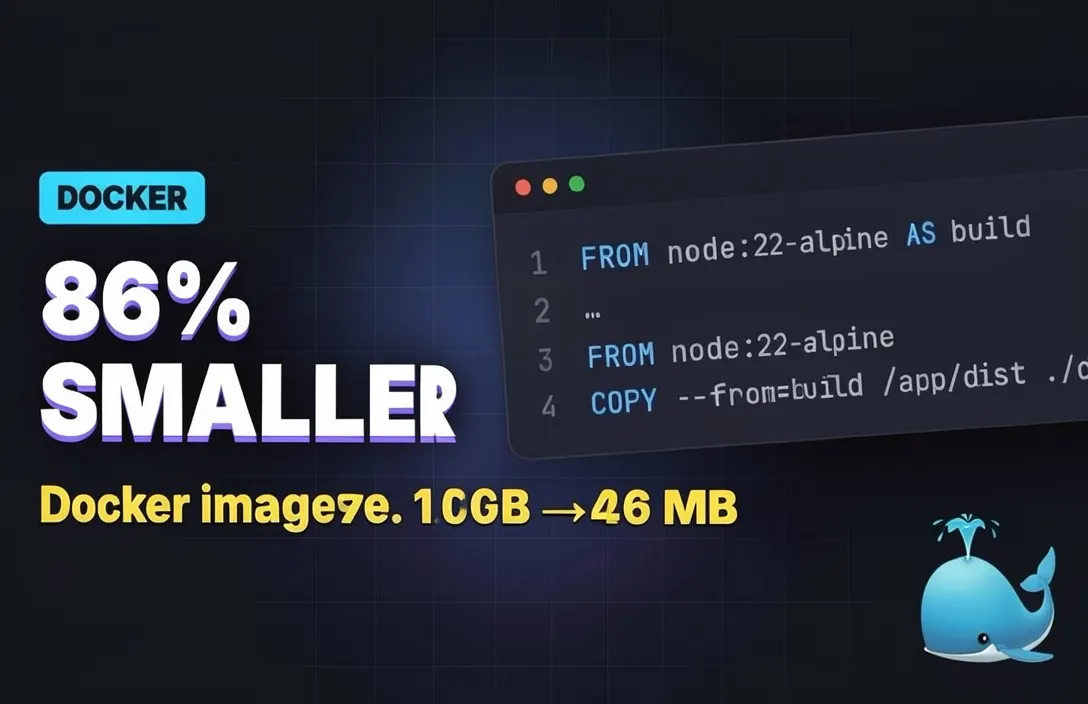

A developer initially faced a Docker image size of 1.79 GB for a simple Express + TypeScript API, which was significantly larger than necessary. The initial Dockerfile included unnecessary files such as node_modules, .git, and .env, which were being copied into the build context. Source ID 1 explains that the use of a .dockerignore file reduced the build context from 80.23 MB to 235 KB, although the image size change was minimal at this step. This optimization helped prevent the inclusion of local files and secrets into the Docker image layers. [1]
The second optimization involved switching from the default node:22 image to a smaller base image, specifically node:22-alpine. This change reduced the image size from 1.79 GB to 410 MB. Source ID 1 notes that the node:22-alpine image is significantly smaller than the default node:22 image, which is a full Debian system with compilers and build tools. The use of Alpine Linux, which employs musl instead of glibc, can occasionally affect native modules, but it offers substantial size benefits. [1]
The third optimization involved implementing a multi-stage build. This technique allowed the separation of the build process, which includes development dependencies like TypeScript, Jest, and ESLint, from the production image. Source ID 1 describes that the first stage of the build includes all dependencies and compiles the application, while the second stage only includes the production dependencies and the compiled dist folder. This approach reduced the image size from 410 MB to 246 MB and eliminated unnecessary development tools from the production environment. [1]
The final optimization involved reordering the COPY commands in the Dockerfile to leverage Docker's layer caching. By copying the package.json file before the rest of the code, the npm install step only reran when the package.json or package-lock.json files changed. Source ID 1 highlights that this change reduced the rebuild time from approximately 10 seconds to around 2.3 seconds, significantly improving the efficiency of the Docker build process. [1]
Advertisement
Initially, the Docker image for a simple Express + TypeScript API was 1.79 GB, which was significantly larger than necessary. The starting Dockerfile used the default node:22 image and included unnecessary files in the build context, leading to a large image size. The developer introduced a .dockerignore file to exclude node_modules, .git, and .env files, reducing the build context from 80.23 MB to 235 KB. However, this change had a minimal impact on the image size, as the npm install command recreated the node_modules directory during the build process (Dev.to, 2023). [1]
The second optimization involved switching from the default node:22 image to a smaller base image, specifically node:22-alpine. This change reduced the image size from 1.79 GB to 410 MB. The node:22-alpine image is based on Alpine Linux, which uses musl instead of glibc, potentially affecting native modules. However, the performance benefits of using a smaller base image were significant, making it the largest single win in the optimization process (Dev.to, 2023). [1]
The third optimization involved implementing a multi-stage build. This approach separated the build process into two stages: one for compiling the application with development dependencies and another for running the application in production with only the necessary dependencies. This change reduced the image size from 410 MB to 246 MB and eliminated unnecessary development tools from the production image. Additionally, the use of the USER node command ensured that the application did not run as root, enhancing security (Dev.to, 2023). [1]
The final optimization involved reordering the COPY commands in the Dockerfile to leverage Docker's layer caching. By copying package.json before the source code, the npm install step only reran when package.json or package-lock.json changed, significantly reducing rebuild times. This change reduced the average rebuild time from approximately 10 seconds to around 2.3 seconds (Dev.to, 2023). [1]
Advertisement
Initially, the Docker image for a simple Express + TypeScript API was 1.79 GB, significantly larger than necessary (Dev.to, 2024). The developer first created a .dockerignore file to exclude unnecessary files like node_modules, .git, and .env from the build context, reducing the build context from 80.23 MB to 235 KB (Dev.to, 2024). Although this step had minimal impact on the image size, it improved build speed and security by preventing the inclusion of sensitive files and unnecessary binaries. [1]
The second optimization involved switching from the default node:22 image to a smaller base image, specifically node:22-alpine, which reduced the image size from 1.79 GB to 410 MB (Dev.to, 2024). The node:22-alpine image is significantly smaller than the default node:22 image, which is a full Debian system with compilers and build tools (Dev.to, 2024). This change alone was the most impactful in reducing the overall image size. [1]
The third optimization involved implementing a multi-stage build, which further reduced the image size from 410 MB to 246 MB (Dev.to, 2024). This approach allowed the developer to build the application in one stage with all dependencies and then copy only the necessary compiled files into a second, minimal image that runs the application (Dev.to, 2024). This strategy minimized the number of installed packages and reduced the attack surface of the final image. [1]
The final optimization involved reordering the COPY commands in the Dockerfile to leverage Docker's layer caching, which significantly improved build times (Dev.to, 2024). By copying package.json before the rest of the code, the npm install step only reran when package.json or package-lock.json changed, reducing rebuild times from approximately 10 seconds to 2.3 seconds (Dev.to, 2024). [1]
Advertisement
Initially, the Docker image for a simple Express + TypeScript API was 1.79 GB, significantly larger than necessary (Dev.to, 2024). This was due to the use of the default node:22 image, which includes a full Debian system with compilers and build tools. The first optimization step involved introducing a .dockerignore file to exclude unnecessary files such as node_modules, .git, and .env from the build context, which reduced the build context from 80.23 MB to 235 KB (Dev.to, 2024). [1]
The second optimization involved switching from the default node:22 image to a smaller base image, specifically node:22-alpine, which reduced the image size from 1.79 GB to 410 MB (Dev.to, 2024). The node:22-alpine image is based on Alpine Linux, which uses musl instead of glibc, making it more lightweight. This change significantly reduced the overall size of the Docker image while maintaining compatibility with the application (Dev.to, 2024). [1]
The third optimization involved implementing a multi-stage build, which further reduced the image size from 410 MB to 246 MB (Dev.to, 2024). This approach separated the build process into two stages: the first stage used the node:22-alpine image to install development dependencies and compile the application, while the second stage used a fresh node:22-alpine image to install only production dependencies and copy the compiled application code (Dev.to, 2024). This strategy minimized the number of installed packages in the final image and improved security by removing unnecessary build tools from the production environment (Dev.to, 2024). [1]
Sources
Prepared with AI assistance from the cited sources.
The Cali Reporter newsletter
The stories worth your time.
California, the country, and what comes next. Join our free newsletter for reporting that keeps you informed.
More in Technology
- Modern Web Guidance 1.0 and Browser Compatibility
Modern Web Guidance 1.0, announced by Chrome for Developers on November 10, introduces browser compatibility data to assist coding agents in building web features. The initiative emphasizes the importance of fallback…
- Apache mod_http2 Vulnerability Detection with Nmap
A new Nmap scripting module has been developed to detect the Apache mod_http2 vulnerability (CVE-2026-119618), addressing the challenges of identifying affected systems accurately.
- Securing Remote Vendor Access in Industrial Networks
Best practices for managing remote vendor access in operational technology (OT) networks emphasize controlled access points, multifactor authentication, and time-bound sessions to reduce cybersecurity risks.