Cleaning Up Git History with Interactive Rebase
This article explains how to use Git's interactive rebase feature to clean up messy commit histories, focusing on squashing and rewording commits for better clarity and organization.

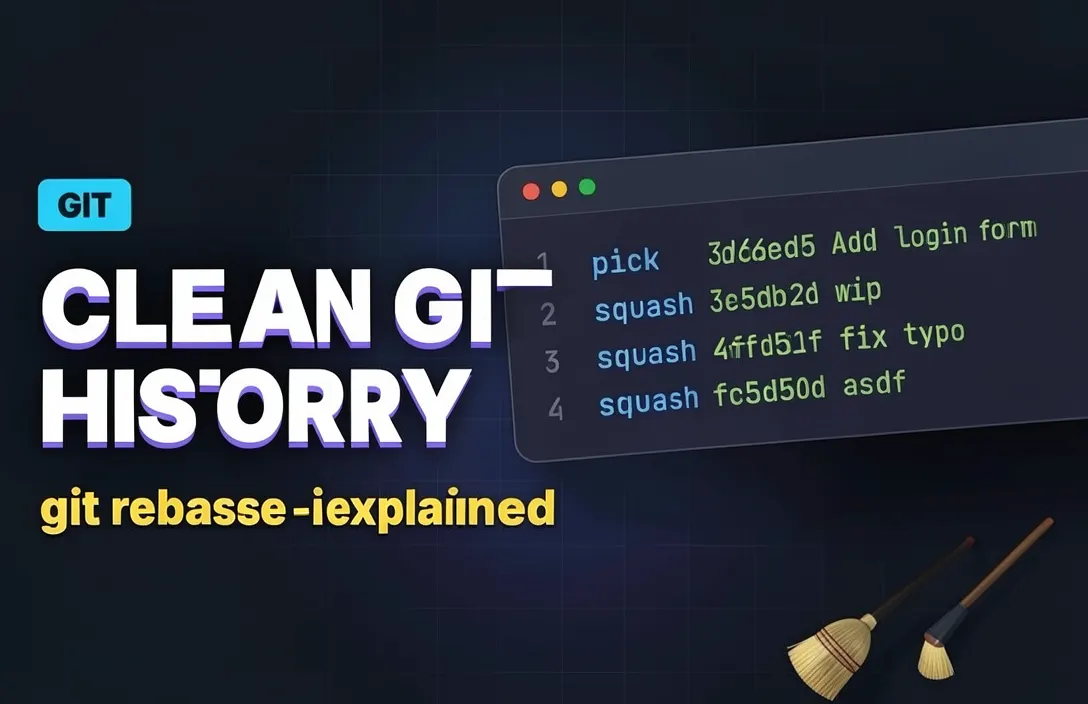

A messy Git branch can include multiple commits with unclear or irrelevant messages, such as 'wip', 'fix typo', and 'asdf'. Before submitting a pull request, developers can use the 'git rebase -i' command to clean up these commits. For example, a branch might have a series of commits including 'Add login form', 'wip', 'fix typo', 'asdf', and 'Add login tests' that need to be consolidated into two meaningful commits. The process begins by running 'git rebase -i HEAD~5', which opens an editor with a list of commits, allowing the developer to reorganize them. [1]
During the interactive rebase, developers can change the command for each commit. For instance, 'pick' keeps a commit unchanged, while 'squash' merges it into the previous commit and allows the developer to edit the combined message. In the example, 'wip', 'fix typo', and 'asdf' are squashed into 'Add login form', and 'Add login tests' remains as a separate commit. This results in a cleaner history with only two commits: 'Add login form' and 'Add login tests'. The process ensures that the final history is more readable and meaningful for future reference. [1]
To further streamline the process, Git provides the '--fixup' and '--autosquash' options. If a bug is found in an older commit, a developer can create a new commit with 'git commit -a --fixup=<hash>' and then use 'git rebase -i --autosquash' to automatically merge the fix into the relevant commit. This eliminates the need to manually edit the rebase file. Developers are also advised to follow safety rules, such as not rebasing commits on shared branches or rewriting history on the main branch after others have pulled it. If a conflict arises or a mistake is made during the rebase, 'git rebase --abort' can be used to revert the process. [1]
A messy Git branch can include multiple commits with unclear or irrelevant messages, such as 'wip', 'fix typo', and 'asdf' (Dev.to). These types of commits can complicate the code review process and make the project history difficult to follow. To address this, developers can use the interactive rebase feature in Git, which allows them to edit, reorder, or remove commits. This process begins with running the command 'git rebase -i HEAD~5', which opens an editor displaying each commit in the branch (Dev.to). [1]
Advertisement
During the interactive rebase, developers can change the command for each commit, such as using 'squash' to merge multiple commits into one or 'drop' to remove a commit entirely (Dev.to). This helps consolidate related changes into meaningful and concise commits. For instance, in a real example, three junk commits related to the 'Add login form' commit were squashed into a single commit, resulting in a cleaner history (Dev.to). This approach ensures that the final history is easier to understand for both the developer and the reviewer. [1]
Git also offers the '--fixup' and '--autosquash' options to streamline the cleanup process further (Dev.to). When a developer makes a fix for an older commit, they can use 'git commit -a --fixup=<hash>' to create a fixup commit linked to the original. Then, running 'git rebase -i --autosquash HEAD~3' will automatically move the fixup commit to the correct location and apply it to the original commit (Dev.to). This reduces manual editing and ensures that the history remains clean and organized. [1]
A messy Git branch can include multiple commits with unclear or irrelevant messages, such as 'wip', 'fix typo', and 'asdf' (Dev.to). This often occurs in feature branches before a pull request is submitted, where developers may have made incremental changes without clear commit messages. These commits can be cleaned up using Git's interactive rebase feature, which allows developers to modify, merge, or remove commits. [1]
During the interactive rebase, developers can change the command for each commit, such as using 'squash' to merge multiple commits into one or 'drop' to remove a commit entirely (Dev.to). This process is initiated with the command 'git rebase -i HEAD~N', where 'N' represents the number of recent commits to be edited. Developers can then edit the commands for each commit line by line, specifying whether to keep, merge, or delete each commit. [1]
Advertisement
Git also offers the '--fixup' and '--autosquash' options to streamline the cleanup process further (Dev.to). The '--fixup' command allows developers to create a new commit that automatically merges into an existing one, while '--autosquash' ensures that these fixup commits are correctly ordered and merged during the rebase. These tools help maintain a clean and organized commit history without manual intervention. [1]
A messy Git branch can include multiple commits with unclear or irrelevant messages, such as 'wip', 'fix typo', and 'asdf' (Dev.to). These commits can complicate the review process for pull requests and make the project's history harder to follow. Before submitting a pull request, developers often use the interactive rebase feature to clean up their commit history (Dev.to). [1]
During the interactive rebase, developers can change the command for each commit, such as using 'squash' to merge multiple commits into one or 'drop' to remove a commit entirely (Dev.to). This allows developers to consolidate related changes into meaningful, well-documented commits that accurately reflect the work being submitted (Dev.to). [1]
Git also offers the '--fixup' and '--autosquash' options to streamline the cleanup process further (Dev.to). The '--fixup' command allows developers to create a new commit that automatically merges into an existing one, while '--autosquash' helps organize these fixups in the correct order during the rebase process (Dev.to). [1]
Advertisement
The Cali Reporter newsletter
The stories worth your time.
California, the country, and what comes next. Join our free newsletter for reporting that keeps you informed.
More in Technology
- Modern Web Guidance 1.0 and Browser Compatibility
Modern Web Guidance 1.0, announced by Chrome for Developers on November 10, introduces browser compatibility data to assist coding agents in building web features. The initiative emphasizes the importance of fallback…
- Apache mod_http2 Vulnerability Detection with Nmap
A new Nmap scripting module has been developed to detect the Apache mod_http2 vulnerability (CVE-2026-119618), addressing the challenges of identifying affected systems accurately.
- Securing Remote Vendor Access in Industrial Networks
Best practices for managing remote vendor access in operational technology (OT) networks emphasize controlled access points, multifactor authentication, and time-bound sessions to reduce cybersecurity risks.